
Click around. Nothing breaks.
This is the real app running in preview mode: sample people, sample customers, sample activity. Nothing you do here is saved, and nobody gets a call.
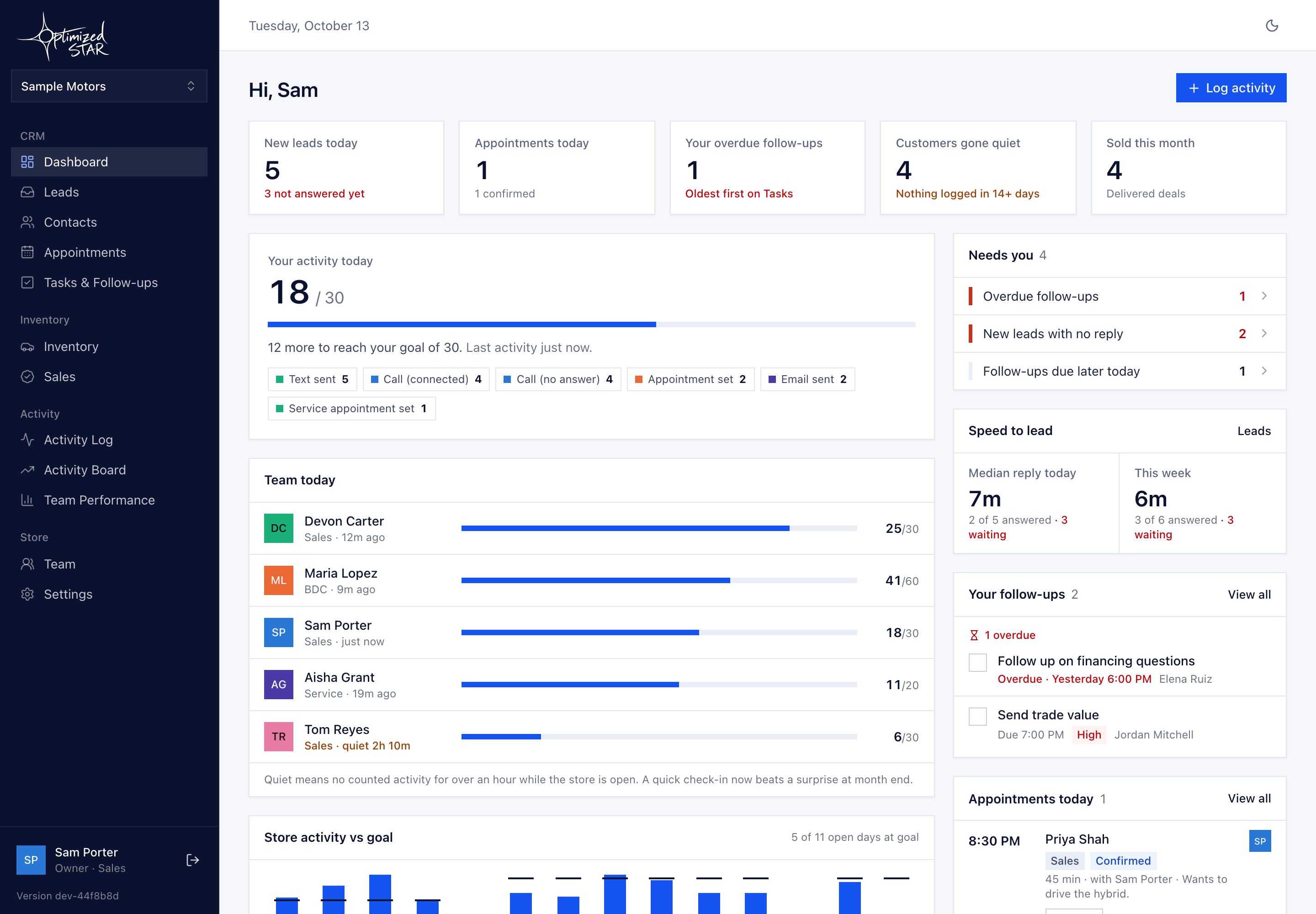
Sample data only. The preview runs in your browser against made-up people and customers. It never touches a real store.
A guided tour
Four stops, about five minutes.
Dashboard
Start here. Today's activity against goal for the store and for each department, and the follow-ups due today.
Try this: find who is furthest from their goal today.
Activity Board
Everyone's day on one screen. Who's at goal, who's close and who hasn't started. This is the screen managers leave open.
Try this: spot who's at goal and who hasn't started.
Team Performance
The longer view: days at goal, daily averages and streaks per person. Nobody is judged on a day the store was closed or before they joined.
Try this: find the longest streak on the team.
Contact
Open any customer. Every call, text, appointment and note is on one timeline, with the next follow-up at the top. Log a call and watch the dashboard count it.
Try this: open a contact and check what's due next at the top of the timeline.
Seen enough to have questions?
Book 30 minutes and we'll answer them with your store in mind.